IupColorDlg
Creates the Color Dialog element. It is a predefined dialog for selecting a color.
Creation
Ihandle* IupColorDlg(void);Returns: the identifier of the created element, or NULL if an error occurs.
Attributes
Supports all the IupDialog attributes and the following additional attributes:
ALPHA: if defined, it will enable an alpha selection additional controls with its initial value. If the user pressed the Ok button contains the returned value. Default: no defined, or 255 if SHOWALPHA=YES.
COLORTABLE: list of colors separated by ";". If a color is not specified then the default color is used. You can skip colors using ";;". The maximum number of colors is 20.
PARENTDIALOG (creation-only): Name of a dialog to be used as parent. This dialog will always be in front of the parent dialog.
SHOWALPHA: if enabled will display the alpha selection controls, regardless if ALPHA is defined for the initial value or not.
SHOWCOLORTABLE: if enabled will display the color table, regardless if COLORTABLE is defined or not.
SHOWCOMPACT: if enabled hides the HSI (Hue/Saturation/Intensity) column, leaving the wheel + preview + RGB + OK/Cancel. Intended for narrow dialogs (mobile screens).
SHOWHEX: if enabled will display the Hexadecimal notation of the color.
SHOWHELP: if enabled will display the Help button. The Help button is shown only if the HELP_CB callback is defined.
STATUS (read-only): defined to "1" if the user pressed the Ok button, NULL if pressed the Cancel button.
TITLE: Dialog title.
VALUE: The color value in RGB coordinates and optionally alpha. It is used as the initial value and contains the selected value if the user pressed the Ok button. Format: "R G B" or "R G B A". Each component range from 0 to 255.
VALUEHSI: The color value in HSI coordinates. It is used as the initial value and contains the selected value if the user pressed the Ok button. Format: "H S I". Each component range from 0-359, 0-100 and 0-100 respectively.
VALUEHEX: The color value in RGB Hexadecimal notation. It is used as the initial value and contains the selected value if the user pressed the Ok button. Format: "#RRGGBB". Each component range from 0-255, but in hexadecimal notation.
Callbacks
Supports all the IupDialog callbacks and the following additional callbacks:
COLORUPDATE_CB: Action generated when the color is updated in the dialog. It is also called when the color is updated programmatically.
int function(Ihandle* ih); ih: identifier of the element that activated the event.
HELP_CB: Action generated when the Help button is pressed.
Notes
It is a regular IupDialog that can be shown with IupShow or IupPopup.
Examples
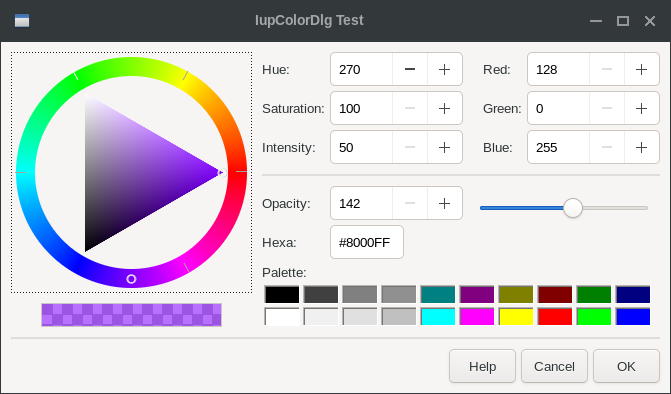
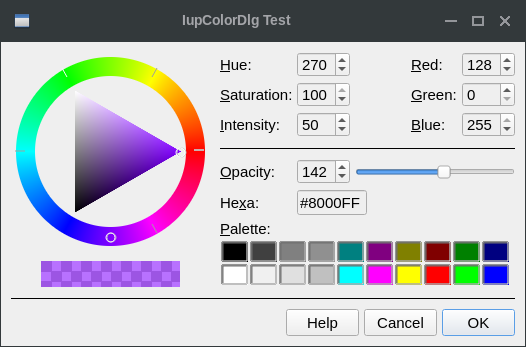
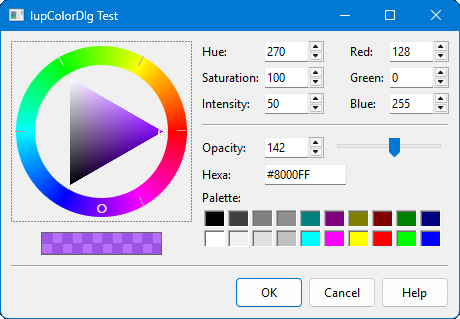
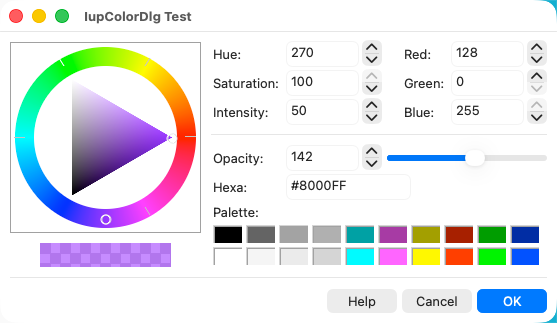
Ihandle* dlg = IupColorDlg();

IupSetAttribute(dlg, "VALUE", "128 0 255");
IupSetAttribute(dlg, "ALPHA", "142");
IupSetAttribute(dlg, "SHOWHEX", "YES");
IupSetAttribute(dlg, "SHOWCOLORTABLE", "YES");
IupSetAttribute(dlg, "TITLE", "IupColorDlg Test");
IupSetCallback(dlg, "HELP_CB", (Icallback)help_cb);

IupPopup(dlg, IUP_CURRENT, IUP_CURRENT);

if (IupGetInt(dlg, "STATUS"))
{
  printf("OK\n");
  printf("  VALUE(%s)\n", IupGetAttribute(dlg, "VALUE"));
  printf("  COLORTABLE(%s)\n", IupGetAttribute(dlg, "COLORTABLE"));
}
else
  printf("CANCEL\n");

IupDestroy(dlg); | GTK | Qt | Win32 | macOS |
 |
 |
 |
 |