IupElementPropertiesDialog
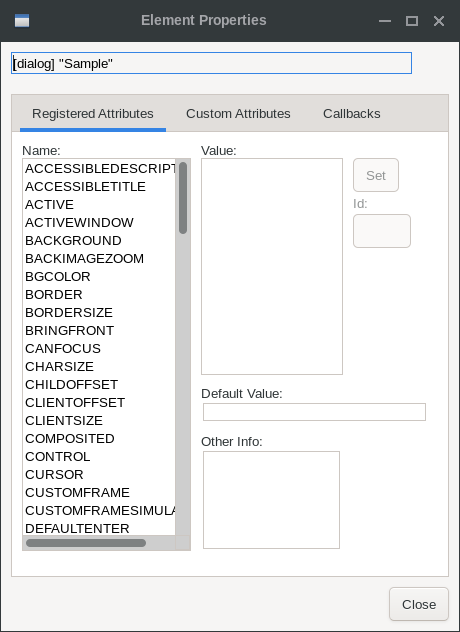
Creates an Element Properties Dialog. It is a predefined dialog to edit the properties of an element at run time. It is a standard IupDialog constructed with other IUP elements. The dialog can be shown with any of the show functions IupShow, IupShowXY or IupPopup.
Any existing element can be edited. It does not need to be mapped on the native system nor visible. It could have been created in any language.
This dialog is intended for developers, to see and inspect their elements.
It contains 3 Tab sections: one for the registered attributes of the element, one for custom attributes set by the application, and one for the callbacks. The callbacks are just for inspection, and custom attributes should be handled carefully because they may be not strings. Registered attributes values are shown in red when they were changed by the application. A default value that follows a global attribute, such as DLGFGCOLOR, is shown with the current value of that global.
Creation
Ihandle* IupElementPropertiesDialog(Ihandle* parent, Ihandle* elem);parent: dialog to be used as parent for the
properties dialog. Can be NULL.
elem: identifier of the element to display the
properties. Not optional.
Returns: the identifier of the created dialog, or NULL if an error occurs.
Attributes
Supports all the IupDialog attributes.
Callbacks
Supports all the IupDialog callbacks.
ATTRIBCHANGED_CB: Called when an attribute is changed.
int function(Ihandle *ih, char* name);ih: identifier of the element that activated the
event.
name: name of the attribute that changed.
Examples
IupShow(IupElementPropertiesDialog(NULL, button));The dialog is displayed next.