IupSubmenu
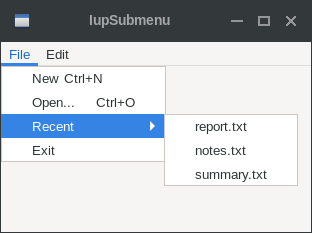
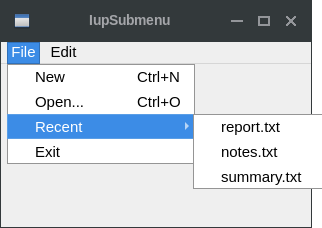
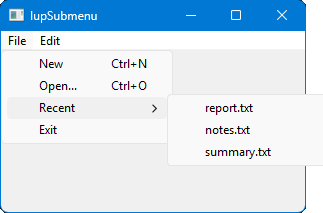
Creates a menu item that, when selected, opens another menu.
Creation
Ihandle* IupSubmenu(const char *title, Ihandle *menu);title: String containing the text to be shown on the
item. It can be NULL. It will set the TITLE attribute.
menu: optional child menu identifier. It can be
NULL.
Returns: the identifier of the created element, or NULL if an error occurs.
Attributes
IMAGE (non-inheritable): Image name of the submenu image. In Windows, an item in a menu bar cannot have a check mark. Ignored if submenu in a menu bar. A recommended size would be 16x16 to fit the image in the menu item. In Windows, if larger than the check mark area it will be cropped. Not supported in GTK 4, Motif, EFL.
KEY (non-inheritable): Underlines a character of the submenu title. It is applied when TITLE is set. Deprecated, use the "&" in TITLE.
TITLE (non-inheritable): Submenu Text. The "&" character can be used to define a mnemonic, the next character will be used as a key. Use "&&" to show the "&" character instead on defining a mnemonic.
WID (non-inheritable): In Windows, returns the HMENU of the parent menu, and it is actually created only when its child menu is mapped.
EXPANDABLE [Android Only] (non-inheritable): Set to "YES" to render this submenu as a collapsible section in the navigation drawer (see DRAWER on IupDialog). Default: "NO".
STATE [Android Only] (non-inheritable): Initial state of an expandable section. Values: "OPEN", "CLOSE". Default: "CLOSE". Ignored when EXPANDABLE is not set.
Callbacks
HIGHLIGHT_CB: Action generated when the submenu is highlighted.
MAP_CB, UNMAP_CB, DESTROY_CB: common callbacks are supported.
Notes
In Motif and GTK, the text font will be affected by the dialog font when the menu is mapped.
Examples
| GTK | Qt | Win32 | macOS |
 |
 |
 |
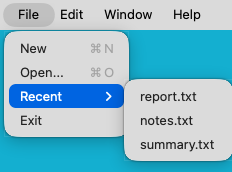 |
See the IupMenu element for more screenshots.