IupMenu
Creates a menu element, which groups 3 types of interface elements: item, submenu and separator. Any other interface element defined inside a menu will be an error.
Creation
Ihandle* IupMenu(Ihandle *child, ...);
Ihandle* IupMenuV(Ihandle* child,va_list arglist);
Ihandle* IupMenuv(Ihandle **children);child, ... : List of identifiers that will be grouped by the menu. NULL must be used to mark the end of the list in C. It can be empty.
Returns: the identifier of the created element, or NULL if an error occurs.
Attributes
BGCOLOR: the background color of the menu, affects all items in the menu.
POPUPALIGN (non-inheritable): alignment of the popup menu relative to the given point in the format "horiz_align:vert_align". Where horiz_align can be: ALEFT, ACENTER or ARIGHT; and vert_align can be ATOP, ACENTER or ABOTTOM. Default: ALEFT:ATOP.
RADIO (non-inheritable): enables the automatic toggle of one child item. When a child item is selected the other item is automatically deselected. The menu acts like a IupRadio for its children. Submenus and their children are not affected.
WID (non-inheritable): In Windows, returns the HMENU of the menu.
Callbacks
MENUOPEN_CB: Called just before the menu is opened.
MENUCLOSE_CB: Called just after the menu is closed.
MAP_CB, UNMAP_CB, DESTROY_CB : common callbacks are supported.
Notes
A menu can be a menu bar of a dialog, defined by the dialog's MENU attribute, or a popup menu.
A popup menu is displayed for the user using the IupPopup function (usually on the mouse position) and disappears when an item is selected.
IupDestroy should be called only for popup menus. Menu bars associated with dialogs are automatically destroyed when the dialog is destroyed. But if you change the menu of a dialog for another menu, the previous one should be destroyed using IupDestroy. If you replace a menu bar of a dialog, the previous menu is unmapped.
Any item inside a menu bar can retrieve attributes from the dialog using IupGetAttribute. It is not necessary to call IupGetDialog.
The menu can be created with no elements and be dynamic filled using IupAppend or IupInsert.
On Android and iOS, an optional navigation drawer can be attached alongside the menu via the DRAWER attribute on IupDialog. Independent of MENU; a dialog may set either, both, or neither.
Examples
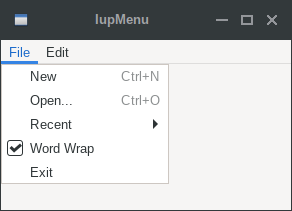
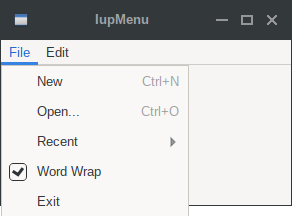
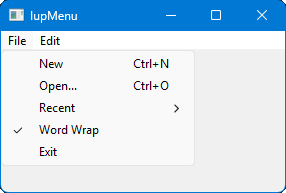
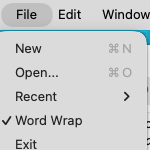
The IupMenuItem check is affected by the RADIO attribute in IupMenu.
| GTK | Qt | Win32 | macOS |
 |
 |
 |
 |
See Also
IupDialog, IupMenuItem, IupMenuSeparator, IupSubmenu, IupPopup, IupDestroy