IupPrintDlg
Creates the Print Dialog element. It is a predefined dialog that selects a printer and prints pages drawn by the application. The dialog can be shown with the IupPopup function only.
Creation
Ihandle* IupPrintDlg(void);Returns: the identifier of the created element, or NULL if an error occurs.
Attributes
ELEMENT: name of an element printed when PRINTPAGE_CB is not defined. An IupCanvas, or a control drawn with the IupDraw functions, is printed on one page by calling its ACTION callback, scaled down to fit the page. An IupTable, IupMatrix or IupMatrixEx is printed with its cell values on as many pages as needed, with the column titles on each page, scaled down to fit the page width. An IupText, IupList, IupFlatList, IupTree, IupFlatTree or IupLabel is printed as text on as many pages as needed, with long lines wrapped at the page width. The text is the VALUE of IupText, the items of IupList and IupFlatList, the node titles of IupTree and IupFlatTree indented by their depth, and the TITLE of IupLabel.
JOBNAME: name of the print job shown in the system print queue. Default: the TITLE, or "IUP" if TITLE is not defined.
ORIENTATION: page orientation. Can be "PORTRAIT" or "LANDSCAPE". Default: "PORTRAIT". Returns the orientation selected by the user after the dialog is closed.
PAGECOUNT: number of pages, used for the page range in the dialog and as the page count when PAGINATE_CB is not defined. Default: 0, the page range is not limited and one page is printed.
PAGESIZE (read-only): size of the printable area of the page, in the format "widthxheight". Valid in the callbacks and after the dialog is closed with STATUS="1".
PARENTDIALOG (creation-only): Name of a dialog to be used as parent. This dialog will always be in front of the parent dialog.
STATUS (read-only): "1" if the pages were sent to the printer, "0" if the user pressed the Cancel button or PRINTPAGE_CB returned IUP_CLOSE, "-1" if the job failed or printing is not supported. In WebAssembly, it is "1" when the browser print dialog closes, also when the user canceled it.
TITLE: Dialog title. Supported in QML.
Callbacks
PAGINATE_CB: called when the page size is known, before the pages are drawn. In macOS, Android and iOS, it is also called while the dialog is open, to show the preview.
int function(Ihandle *ih, int width, int height);ih: identifier of the element that activated the
event.
width, height: size of the printable
area of the page.
Returns: the number of pages. Replaces PAGECOUNT.
PRINTPAGE_CB: called for each page to print, in order. Draw the page with the IupDraw functions, between IupDrawBegin(ih) and IupDrawEnd(ih), as in a canvas ACTION callback. Only the pages in the range selected by the user are printed. In macOS, Android and iOS, it is also called to draw the preview while the dialog is open.
int function(Ihandle *ih, int page, int width, int height);ih: identifier of the element that activated the
event.
page: page number, starting at 1.
width, height: size of the printable
area of the page, also returned by IupDrawGetSize.
Returns: IUP_CLOSE cancels the job and sets STATUS to "0".
Notes
Page coordinates are in units of 1/96 inch and are scaled to the printer resolution. Fonts print at their point size.
The IupPrintDlg is a native pre-defined dialog not altered by IupSetLanguage. In QML, its labels follow IupSetLanguage.
To show the dialog, use function IupPopup. It returns after the job is finished or canceled.
The dialog is mapped only inside IupPopup, IupMap does nothing.
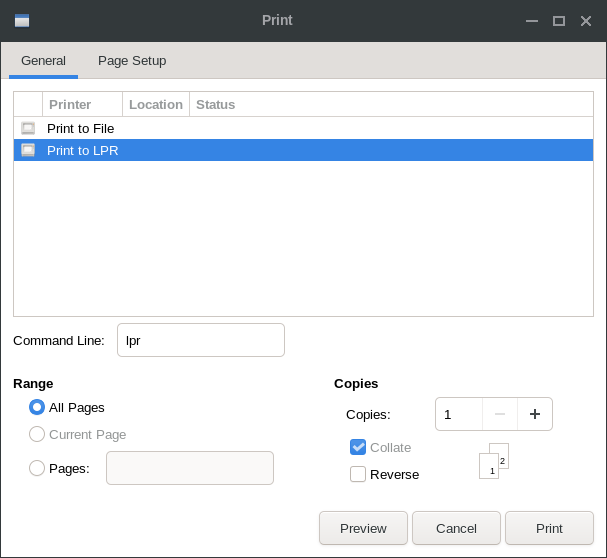
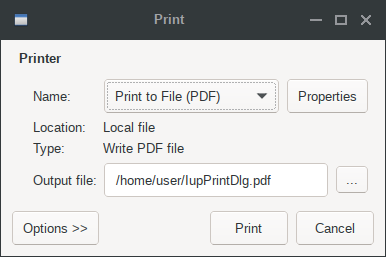
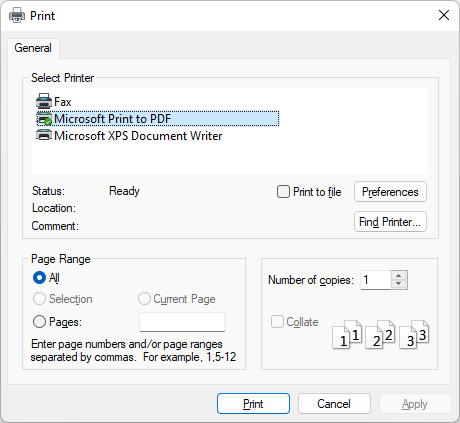
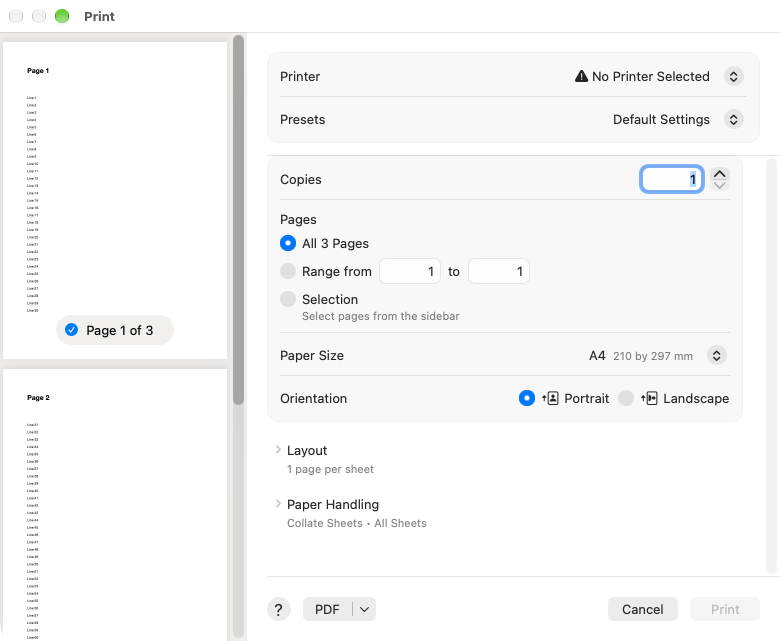
In Win32 and WinUI, it uses PrintDlgEx; in GTK 3 and GTK 4, GtkPrintOperation; in macOS, NSPrintOperation; in Qt, QPrintDialog; in FLTK, Fl_Printer; in Haiku, BPrintJob; in Android, PrintManager; in iOS, UIPrintInteractionController; in QML, a custom dialog implemented using IUP controls that prints with QPrinter; and in WebAssembly, the browser print dialog.
Not supported in Motif, EFL and GNUstep.
In WebAssembly, the pages are drawn before the browser print dialog opens, on A4 or Letter paper as given by the browser language, with ORIENTATION and 0.5 inch margins.
Examples
static int printpage_cb(Ihandle *ih, int page, int width, int height)
{
  int line, y = 0;

  IupDrawBegin(ih);
  IupSetAttribute(ih, "DRAWCOLOR", "0 0 0");
  for (line = 0; line < 40; line++, y += 24)
    IupDrawText(ih, row_text((page - 1) * 40 + line), -1, 0, y, width, 24);
  IupDrawEnd(ih);

  return IUP_DEFAULT;
}

Ihandle* dlg = IupPrintDlg();
IupSetAttribute(dlg, "JOBNAME", "Report");
IupSetInt(dlg, "PAGECOUNT", (row_count() + 39) / 40);
IupSetCallback(dlg, "PRINTPAGE_CB", (Icallback)printpage_cb);

IupPopup(dlg, IUP_CURRENT, IUP_CURRENT);

if (IupGetInt(dlg, "STATUS") == 1)
  printf("PRINTED\n");

IupDestroy(dlg);| GTK | Qt | Win32 | macOS |
 |
 |
 |
 |