IupCanvas
Creates an interface element that is a canvas - a drawing area for your application.
Creation
Ihandle* IupCanvas(void);Returns: the identifier of the created element, or NULL if an error occurs.
Attributes
BACKINGSTORE [Motif Only]: Controls the canvas backing store flag. The default value is "YES".
BGCOLOR: Background color. The background is painted only if the ACTION callback is not defined. If the callback is defined the application must draw all the canvas contents. In GTK or Motif if you set the ACTION callback after map then you should also set BGCOLOR to any value just after setting the callback or the first redraw will be lost. Default: same as DLGBGCOLOR (system dialog background, follows the active theme including dark mode).
BORDER (creation-only): Shows a border around the canvas. Default: "YES".
CANFOCUS (creation-only) (non-inheritable): enables the focus traversal of the control. In Windows the canvas will respect CANFOCUS differently to some other controls. Default: YES.
PROPAGATEFOCUS(non-inheritable): enables the focus callback forwarding to the next native parent with FOCUS_CB defined. Default: NO.
CAIRO_CR (non-inheritable): Contains the "cairo_t*" of the internal drawing callback. Valid only during the ACTION callback. Available in GTK 3, GTK 4 and FLTK (FLTK only when built with Cairo).
CLIPRECT (only during ACTION): Specifies a rectangle that has its region invalidated for painting, it could be used for clipping. The application may repaint only this rectangle; pixels outside it are preserved. Format: "%d %d %d %d"="x1 y1 x2 y2". Not supported in WASM.
UPDATERECT (write-only): Requests a redraw limited to a rectangle of the canvas, received in the ACTION callback as CLIPRECT. The driver can expand the rectangle; successive values set before the redraw happens are combined into their bounding rectangle. Format: "%d %d %d %d"="x1 y1 x2 y2". An invalid value or a driver without support redraws the whole canvas. Not supported in iOS, Android and WASM.
CURSOR (non-inheritable): Defines a cursor for the canvas. The Windows SDK recommends that cursors and icons should be implemented as resources rather than created at run time.
DROPFILESTARGET (non-inheritable): Enable or disable the drop of files. Default: NO, but if DROPFILES_CB is defined when the element is mapped then it will be automatically enabled.
DRAWSIZE (non-inheritable): The size of the drawing area in pixels. This size is also used in the RESIZE_CB callback.
Notice that the drawing area size is not the same as RASTERSIZE. The SCROLLBAR and BORDER attributes affect the size of the drawing area.
DRAWDRIVER (read-only): returns the name of the draw driver in use by the IupDraw API. Can be: D2D, GDI+ (Windows), CAIRO (GTK), COCOA (macOS), COCOATOUCH (iOS), QT, EFL_VG (EFL), FLTK, HAIKU, ANDROID, or X11 (Motif).
DRAWIMAGE (read-only): returns the offscreen drawing buffer as an IupImage handle name. Must be used between IupDrawBegin and IupDrawEnd. The image is cached and automatically destroyed on the next query.
DRAWABLE (non-inheritable, read-only): Returns the native drawing surface handle. Available in GTK 3, Qt, Cocoa, iOS, EFL, FLTK and Motif.
EXPAND (non-inheritable): The default value is "YES". The natural size is the size of 1 character.
HDC_WMPAINT [Win32 Only] (non-inheritable): Contains the HDC created with the BeginPaint inside the WM_PAINT message. Valid only during the ACTION callback.
HWND [Windows Only] (non-inheritable, read-only): Returns the Windows Window handle. Available in any driver when running on Windows (Win32, GTK, GTK 4, Qt, FLTK and EFL).
SCROLLBAR (creation-only): Associates a horizontal and/or vertical scrollbar to the canvas. Default: "NO". The secondary attributes are all non-inheritable.
DX: Size of the thumb in the
horizontal scrollbar. Also, the horizontal page size. Default:
"0.1".
DY: Size of the thumb in the
vertical scrollbar. Also, the vertical page size. Default: "0.1".
POSX: Position of the thumb in the
horizontal scrollbar. Default: "0.0".
POSY: Position of the thumb in the
vertical scrollbar. Default: "0.0".
XMIN: Minimum value of the
horizontal scrollbar. Default: "0.0".
XMAX: Maximum value of the
horizontal scrollbar. Default: "1.0".
YMIN: Minimum value of the
vertical scrollbar. Default: "0.0".
YMAX: Maximum value of the
vertical scrollbar. Default: "1.0".
LINEX: The amount the thumb moves when an horizontal
step is performed. Default: 1/10th of DX.
LINEY: The amount the thumb moves when a vertical step
is performed. Default: 1/10th of DY.
XAUTOHIDE: When enabled, if DX >= XMAX-XMIN then the
horizontal scrollbar is hidden. Default: "YES".
YAUTOHIDE: When enabled, if DY >= YMAX-YMIN then the
vertical scrollbar is hidden. Default: "YES".
SCROLLVISIBLE (read-only): Returns which scrollbars are
visible at the moment. Can be: YES (both), VERTICAL, HORIZONTAL, NO.
Supported in Win32, WinUI, Qt and macOS.
TOUCH [Win32, GTK, GTK 4, WebAssembly, iOS and Android Only]: enable the touch processing if touch support is available. In GTK, GTK 4, Qt, WebAssembly, iOS and Android, touch events are always enabled.
GESTURE [Win32 Only]: disable the OS gesture processing so raw touch events are delivered to TOUCH_CB/MULTITOUCH_CB. Accepts only the NO value.
WHEELDROPFOCUS (non-inheritable): when the wheel is used the focus control receives a SHOWDROPDOWN=NO.
CGCONTEXT [macOS and iOS Only] (non-inheritable, read-only): Returns the CoreGraphics context (CGContextRef).
NSVIEW [macOS Only] (non-inheritable, read-only): Returns the NSView handle.
NATIVEFOCUSRING [macOS Only] (non-inheritable): Controls whether the canvas uses the native macOS focus ring (blue glow) instead of a cross-platform dotted rectangle for focus indication. Can be "YES" or "NO". Default: "NO".
XDISPLAY [Unix Only] (non-inheritable, read-only): Returns the X-Windows Display. Available in Motif, GTK and FLTK on X11.
XWINDOW [Unix Only] (non-inheritable, read-only): Returns the X-Windows Window (Drawable). Available in Motif, GTK, GTK 4, Qt, EFL and FLTK on X11.
XSCREEN [Motif Only] (non-inheritable, read-only): Returns the X-Windows Screen.
WL_SURFACE [Unix Only] (non-inheritable, read-only): Returns the Wayland surface handle. Available in GTK, GTK 4, Qt, EFL and FLTK on Wayland.
ACTIVE, FONT, SCREENPOSITION, POSITION, MINSIZE, MAXSIZE, WID, TIP, SIZE, RASTERSIZE, ZORDER, VISIBLE, THEME: also accepted.
Drag & Drop attributes and callbacks are supported.
Callbacks
ACTION: Action generated when the canvas needs to be redrawn.
int function(Ihandle *ih);ih: identifier of the element that activated the event.
Use the POSX and POSY attributes to read the current
scroll thumb position from inside the callback. Earlier IUP versions
passed posx/posy as float
parameters; that signature was removed in IUP 3.24 in favor of the
native redraw flow.
BUTTON_CB: Action generated when any mouse button is pressed or released.
DROPFILES_CB: Action generated when one or more files are dropped in the element.
FOCUS_CB: Called when the canvas gets or loses the focus. It is called after the common callbacks GETFOCUS_CB and KILL_FOCUS_CB.
int function(Ihandle *ih, int focus);ih: identifier of the element that activated the
event.
focus: is non-zero if the canvas is getting the focus,
is zero if it is losing the focus.
MOTION_CB: Action generated when the mouse is moved.
KEYPRESS_CB: Action generated when a key is pressed or released. It is called after the common callback K_ANY.
TEXTINPUT_CB: Action generated when the user commits text input (plain characters, dead-key composition, IME).
When the canvas has the focus, pressing the arrow keys may change the focus to another control in some systems. If your callback process the arrow keys, we recommend you to return IUP_IGNORE so it will not lose its focus.
RESIZE_CB: Action generated when the canvas size is changed.
SCROLL_CB: Called when the scrollbar is manipulated.
TOUCH_CB [Win32, GTK, GTK 4, Qt, WebAssembly, iOS and Android Only]: Action generated when a touch event occurred. Multiple touch events will trigger several calls. In Win32 must set TOUCH=YES to receive this event. In GTK, GTK 4, Qt, iOS and Android, touch events are always enabled.
int function(Ihandle* ih, int id, int x, int y, char* state);ih: identifies the element that activated the
event.
id: identifies the touchpoint.
x, y: position in pixels, relative to the
top-left corner of the canvas.
state: the touchpoint state. Can be: DOWN, MOVE or UP.
If the point is a "primary" point, then "-PRIMARY" is appended to the
string.
Returns: IUP_CLOSE will be processed.
MULTITOUCH_CB [Win32, GTK, GTK 4, Qt, WebAssembly, iOS and Android Only]: Action generated when multiple touch events occurred. In Win32 must set TOUCH=YES to receive this event; in GTK, GTK 4, Qt, iOS and Android touch events are always enabled.
int function(Ihandle *ih, int count, int* pid, int* px, int* py, int* pstate)ih: identifier of the element that activated the
event.
count: Number of touch points in the array.
pid: Array of touch point ids.
px: Array of touch point x coordinates in pixels,
relative to the top-left corner of the canvas.
py: Array of touch point y coordinates in pixels,
relative to the top-left corner of the canvas.
pstate: Array of touch point states. Can be 'D' (DOWN),
'U' (UP) or 'M' (MOVE).\
Returns: IUP_CLOSE will be processed.
GESTURE_CB: Action generated when a touch gesture is recognized. Not supported in Motif, FLTK and Haiku. On Win32 only PINCH, ROTATE and PAN are reported, and only when TOUCH is not set. On Cocoa only PINCH, ROTATE and SWIPE are reported. From a mouse, GTK, GTK 4 and EFL report SWIPE, TAP and LONGPRESS, Qt reports LONGPRESS and WinUI reports TAP; the other gestures need a touch screen or a trackpad.
int function(Ihandle* ih, int gesture, int state, int x, int y, double v1, double v2);ih: identifies the element that activated the
event.
gesture: the gesture type: IUP_GESTURE_PINCH,
IUP_GESTURE_ROTATE, IUP_GESTURE_PAN, IUP_GESTURE_SWIPE, IUP_GESTURE_TAP
or IUP_GESTURE_LONGPRESS.
state: for the continuous gestures (PINCH, ROTATE, PAN)
one of IUP_GESTURE_BEGIN, IUP_GESTURE_CHANGED, IUP_GESTURE_END or
IUP_GESTURE_CANCEL; the discrete gestures (SWIPE, TAP, LONGPRESS) report
IUP_GESTURE_END.
x, y: gesture center position in
pixels, relative to the top-left corner of the canvas.
v1, v2: payload that depends on
gesture:
- PINCH: v1 is the scale factor accumulated since BEGIN (1.0 means no change).
- ROTATE: v1 is the rotation in degrees accumulated since BEGIN, clockwise-positive.
- PAN: v1 and v2 are the horizontal and vertical offset in pixels accumulated since BEGIN.
- SWIPE: v1 is the direction: IUP_GESTURE_SWIPE_RIGHT, IUP_GESTURE_SWIPE_LEFT, IUP_GESTURE_SWIPE_UP or IUP_GESTURE_SWIPE_DOWN.
- TAP: v1 is the number of taps (1 or 2).
- LONGPRESS: not used.
A single touch interaction can trigger several gestures at once (for example PINCH, ROTATE and PAN with two fingers); each is reported independently.
Returns: IUP_CLOSE will be processed.
WHEEL_CB: Action generated when the mouse wheel is rotated.
MAP_CB, UNMAP_CB, DESTROY_CB, GETFOCUS_CB, KILLFOCUS_CB, ENTERWINDOW_CB, LEAVEWINDOW_CB, K_ANY, HELP_CB: All common callbacks are supported.
Drag & Drop attributes and callbacks are supported.
Notes
Note that some keys might remove the focus from the canvas. To avoid this, return IGNORE in the K_ANY callback.
The mouse cursor position can be programmatically controlled using the global attribute CURSORPOS.
When the canvas is displayed for the first time, the callback call order is always:
MAP_CB()
RESIZE_CB()
ACTION()
When the canvas is resized, the ACTION callback is always called after the RESIZE_CB callback.
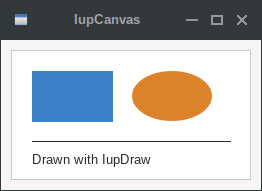
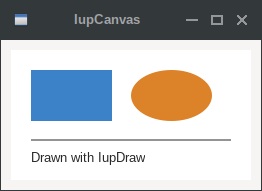
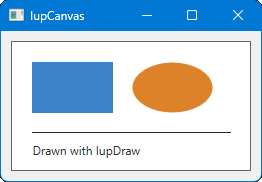
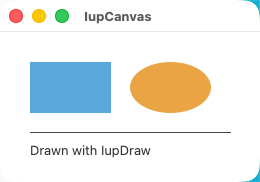
The IupDraw API can be used to draw in the canvas. But the ACTION callback function cannot be called manually from inside the application, it must be invoked by the system, so if you need to redraw then call IupRedraw or IupUpdate.
Examples
| GTK | Qt | Win32 | macOS |
 |
 |
 |
 |