IupMessageDlg
Creates the Message Dialog element. It is a predefined dialog for displaying a message. The dialog can be shown with the IupPopup function only.
Creation
Ihandle* IupMessageDlg(void);Returns: the identifier of the created element, or NULL if an error occurs.
Attributes
BUTTONDEFAULT: Number of the default button. Can be "1", "2" or "3". "2" is valid only for "RETRYCANCEL", "OKCANCEL" and "YESNO" button configurations. "3" is valid only for "YESNOCANCEL". Default: "1".
BUTTONRESPONSE: Number of the pressed button. Can be "1", "2" or "3". Default: "1".
BUTTONS: Buttons configuration. Can have values: "OK", "OKCANCEL", "RETRYCANCEL", "YESNO", or "YESNOCANCEL". Default: "OK". Additionally, the "Help" button is displayed if the HELP_CB callback is defined.
BUTTONSTYLE [Android, iOS]: visual style applied to all buttons. Same values as IupButton's BUTTONSTYLE ("FILLED", "TONAL", "OUTLINED", "ELEVATED", "TEXT"). When unset, the default action gets a filled look and the rest a gray look (matching the platform's native alert).
CORNERSTYLE [Android, iOS]: corner shape applied to all buttons. Same values as IupButton's CORNERSTYLE ("SMALL", "MEDIUM", "LARGE", "CAPSULE"). When unset, the platform's stock default is used (capsule on modern Material 3 / iOS 26 Liquid Glass).
DIALOGTYPE: Type of dialog defines which icon will be displayed beside the message text. Can have values: "MESSAGE" (No Icon), "ERROR" (Stop-sign), "WARNING" (Exclamation-point), "QUESTION" (Question-mark) or "INFORMATION" (Letter "i"). Default: "MESSAGE". The icon is not displayed in GTK 4.
PARENTDIALOG (creation-only): Name of a dialog to be used as parent. This dialog will always be in front of the parent dialog. If not defined in Motif the dialog could not be modal.
TITLE: Dialog title.
VALUE: Message text.
Callbacks
HELP_CB: Action generated when the Help button is pressed. Not supported in WinUI, GTK 4, FLTK, Haiku and WebAssembly.
Notes
The IupMessageDlg is a native pre-defined dialog not altered by IupSetLanguage.
To show the dialog, use function IupPopup.
The dialog is mapped only inside IupPopup, IupMap does nothing.
The IupMessage function simply creates and popups a IupMessageDlg.
In Win32, each different DIALOGTYPE plays a different system beep, and PARENTDIALOG makes the dialog modal relative only to its parent.
The underlying native widget per driver:
- Win32: TaskDialogIndirect.
- WinUI: ContentDialog hosted on the parent dialog's XamlRoot.
- GTK 3: gtk_message_dialog (gtk_dialog_run).
- GTK 4: GtkAlertDialog (4.10+).
- Motif: XmCreateMessageDialog / XmCreateMessageBox.
- Cocoa: NSAlert.
- Cocoa Touch: custom UIView.
- Qt: QMessageBox.
- FLTK: fl_message / fl_choice_n.
- EFL: custom dialog window (efl_ui_win).
- Android: MaterialAlertDialogBuilder.
- Haiku: BAlert.
The (x,y) position from IupPopup is ignored by the native widget on all drivers except Qt, which honors it only when there is no parent.
Examples
Ihandle* dlg = IupMessageDlg();

IupSetAttribute(dlg, "DIALOGTYPE", "WARNING");
IupSetAttribute(dlg, "TITLE", "IupMessageDlg Test");
IupSetAttribute(dlg, "BUTTONS", "OKCANCEL");
IupSetAttribute(dlg, "VALUE", "Message Text\nSecond Line");
IupSetCallback(dlg, "HELP_CB", (Icallback)help_cb);

IupPopup(dlg, IUP_CURRENT, IUP_CURRENT);

printf("BUTTONRESPONSE(%s)\n", IupGetAttribute(dlg, "BUTTONRESPONSE"));

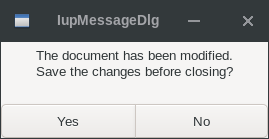
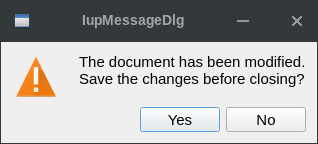
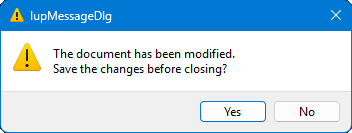
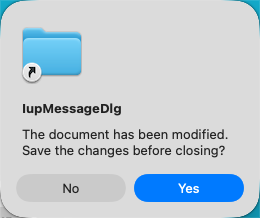
IupDestroy(dlg); | GTK | Qt | Win32 | macOS |
 |
 |
 |
 |